Auto-Allocating Cash
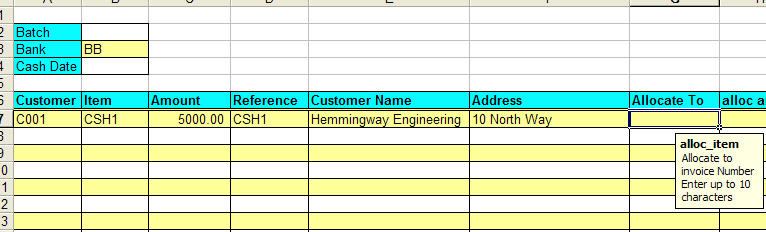
Before auto-allocation, a customer and item amount must be entered:
Right click in the allocate_to range, select Auto Allocate and the following screen will be displayed:
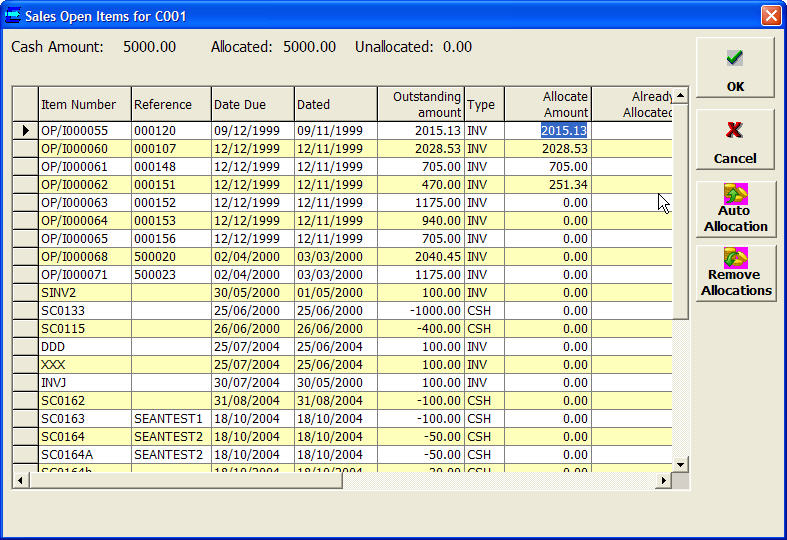
This lists open sales items, and auto-allocates by oldest first
You can remove the allocations selected by clicking Remove Allocations
Clicking on a column header will reorder the data by that column (click twice to reverse that order)
Auto Allocate will then auto-allocate in the order the items are listed in.
This allows auto-allocation by other criteria such as open amount
You can select which items are displayed on the list (see Options).
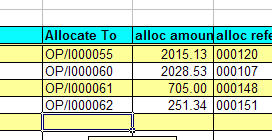
Clicking OK will return the allocations to the spreadsheet.